Create a Nonprofit TV Campaign in Minutes — Starting at $200
A quick start guide to creating and launching an ad in the AdGood GenAI Ad Manager.
At a glance:
Time to ship: 4 to 15 minutes, depending on how much you edit
Cost to build: $0
Minimum to launch: $200
Who it is for: nonprofits ready to run their first CTV campaign
Tool: AdGood Ad Manager (adgood.streamr.ai)
The four steps:
Step 1: Start with your website URL
Step 2: Quickly edit in Creatives or Storyboards
Step 3: Launch on TV with budget and targeting
Step 4: Monitor your campaign
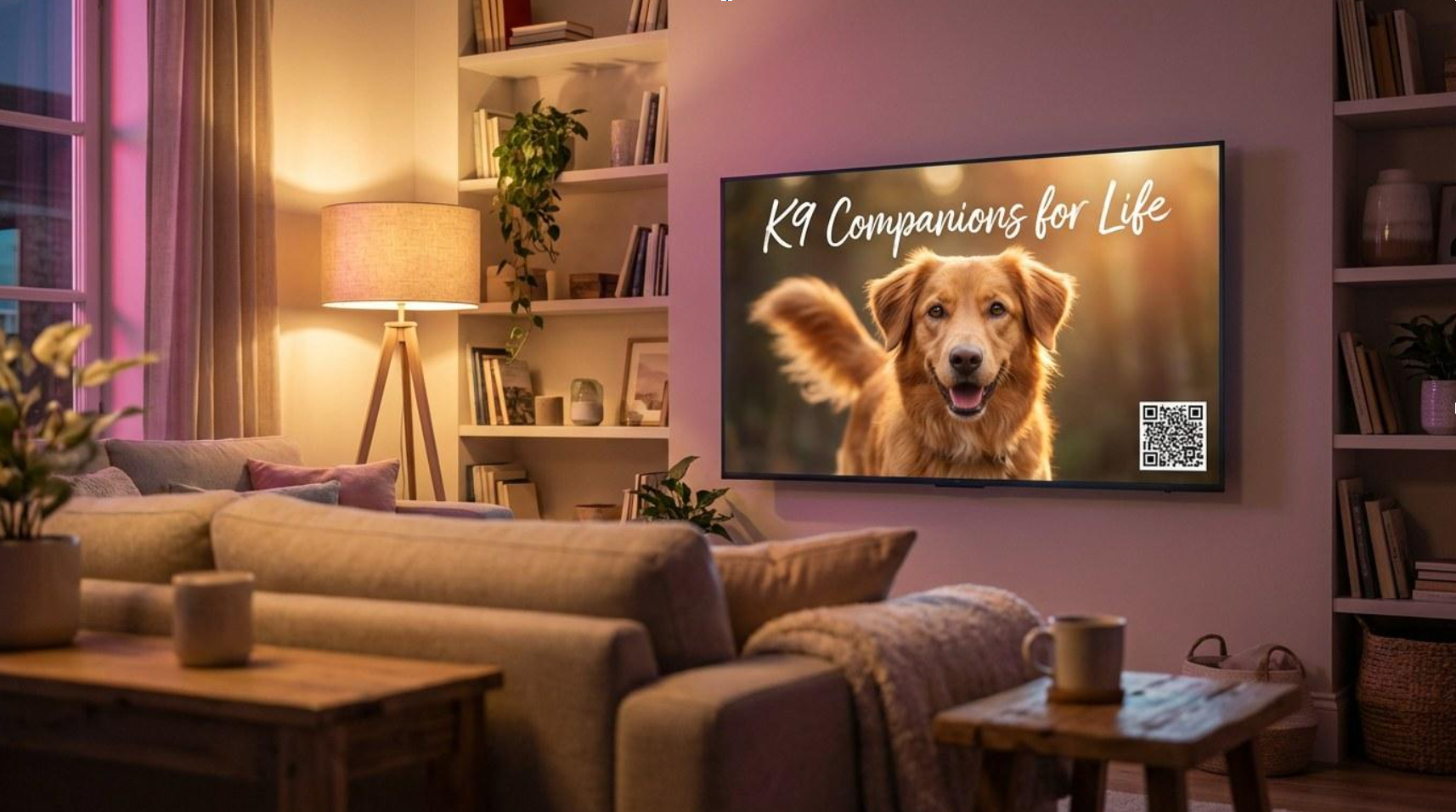
To show how fast this can be for a nonprofit, we walked through the Ad Manager as if we were an animal welfare organization, “K9 Companions for Life”, preparing a donation campaign. Here is exactly what we would recommend if you are doing the same.
Create your free account → https://adgood.streamr.ai
STEP 1
Start with your website URL
The fastest path is also the one most nonprofits actually want. Paste your homepage URL into the Ad Manager, and the platform reads your site, pulls the imagery and tone and generates a starting ad for you in about a minute. No script to write, no scenes to brief.
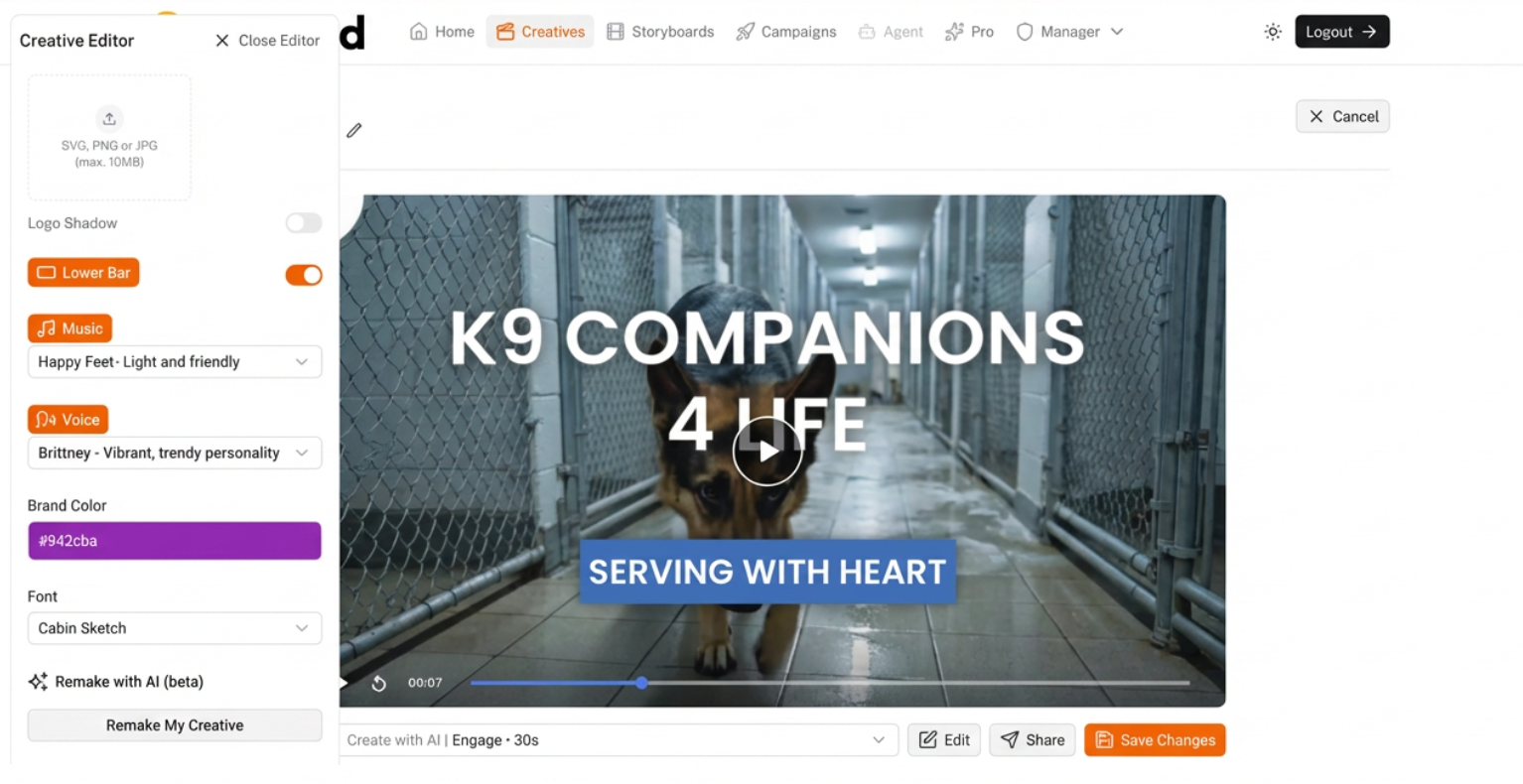
The first thing you see after pasting your URL: a ready-to-play ad in the Creatives view, with a Creative Editor docked alongside so you can tweak voice, music, color, and font without leaving the page.
For K9 Companions, the first pass came back in under a minute, a scruffy dog in a concrete kennel, a German Shepherd walking a shelter hallway, a "Serving with heart" lower bar, "Brittney" narrating, a "Happy Feet" music bed. The imagery was already close enough to work with.
Two other starting points are available if you want them:
• Start from a storyboard: if you already have a script, drop your scene descriptions and voiceover lines directly into the storyboard input. Good fit for teams with an existing creative concept.
• Upload finished video: if you already have an MP4, bring it in and use the Ad Manager purely as a self-serve launch tool. You do not need to touch the AI to get the nonprofit media rates.
Pro tip: any AI assistant (Chat GPT or Claude) can draft a script in seconds. "I run [nonprofit description]. I need an ad script with 8 scenes, each with a visual description and a line of voiceover" gets you most of the way there. Part 2 of this series goes deeper on script craft.
Create your free account → https://adgood.streamr.ai
STEP 2
Quickly edit in Creatives or Storyboards
The starting ad is a starting point, not a finished product. The Ad Manager gives you two views to take it from "that is close" to "that is ready."
• Creatives: the whole-ad view. Play the spot end-to-end, adjust voice, music, font, and color, and preview changes in context.
• Storyboards: the scene-by-scene view. Each tile has Edit, Refine, and regenerate controls so you can fix one scene without touching the rest.
You can jump between the two views as you work. A weak scene in the Creatives preview sends you to Storyboards. A good storyboard sends you back to Creatives to tune the voiceover over it.
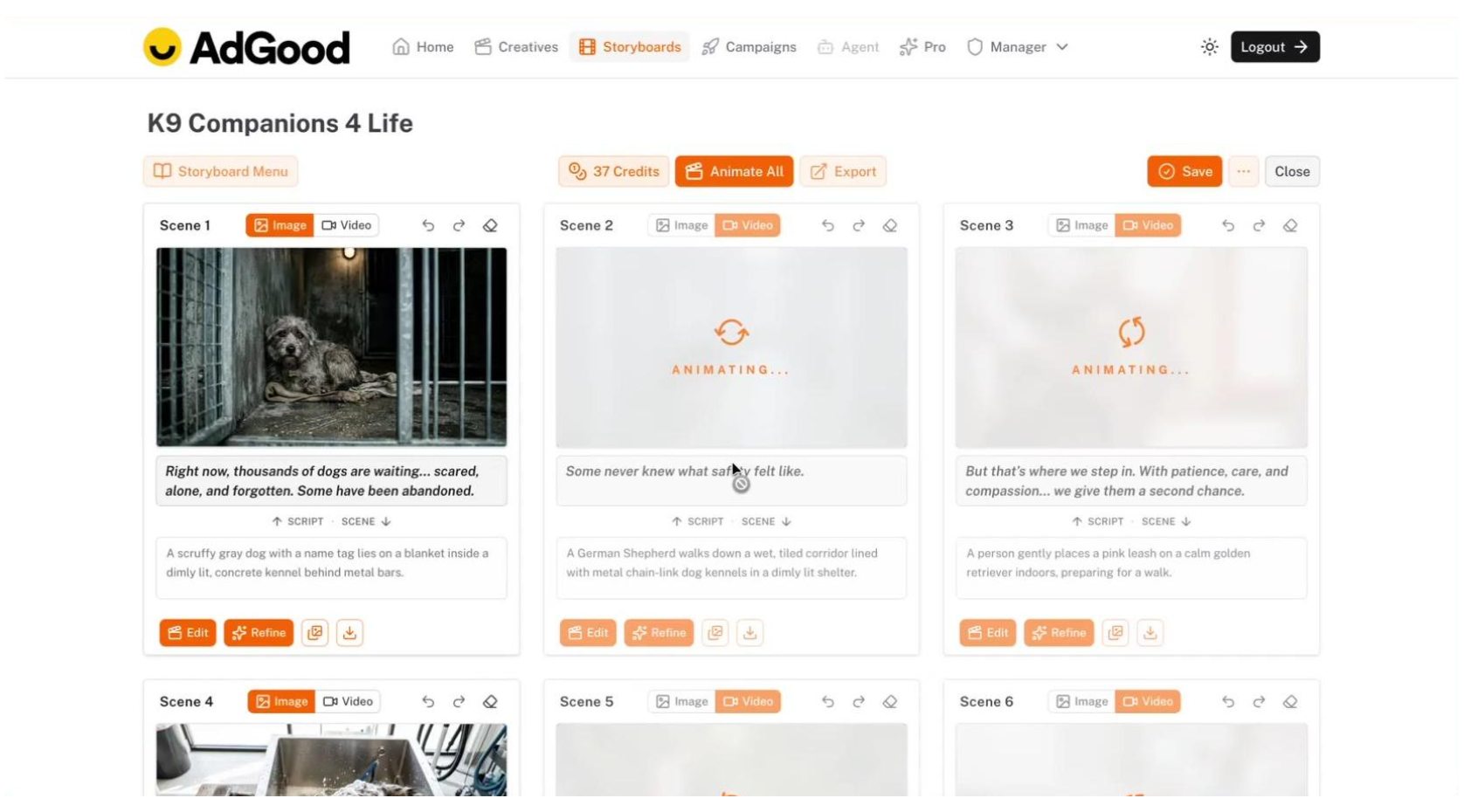
The Storyboards view: every scene generated from your URL becomes its own editable tile. Edit, Refine, and regenerate controls live on each scene so you can fix one without touching the rest.
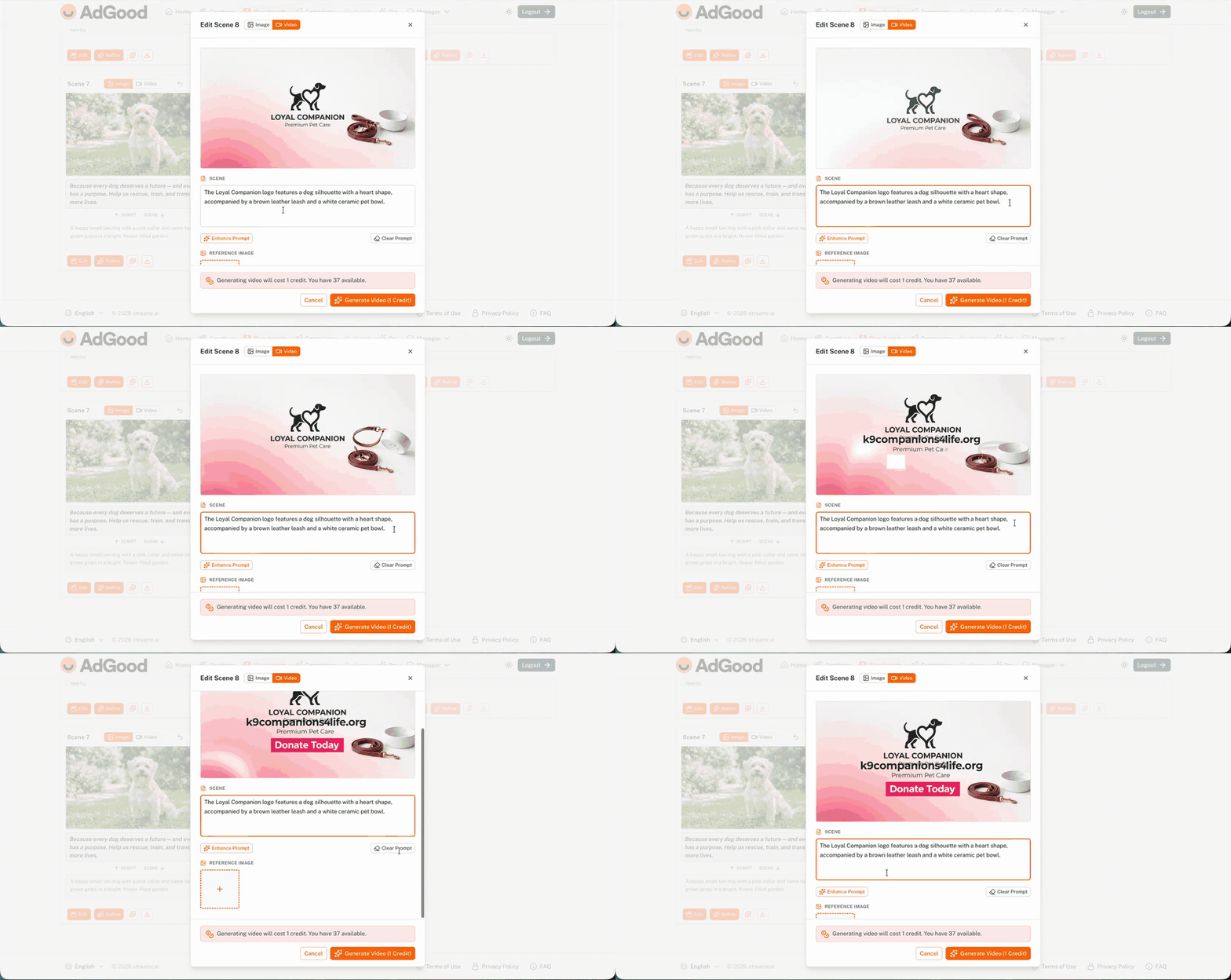
(GIF) Refining a scene in the Storyboards view. Add a line of direction, press enter, the scene re-runs. No starting over.
Scene-level editing has two moves. Regenerate is your one-click reset — run the scene again with your existing prompt, get a new result. Refine lets you add a sentence of direction ("more warmth in the lighting," "softer expression on the dog") and re-run without starting from zero.
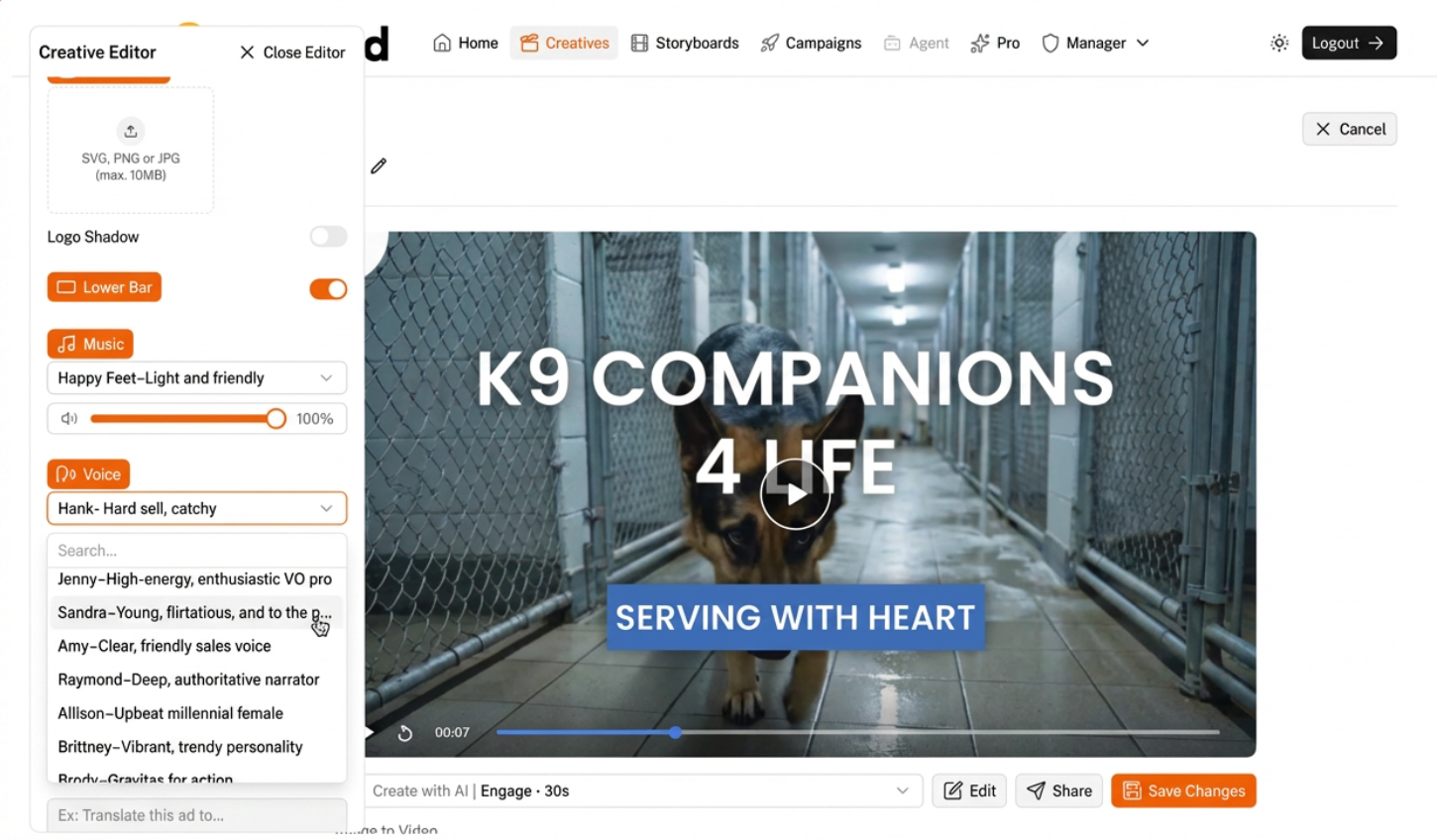
Swapping voices in the Creatives view. The platform ships with a roster of narrators, pick one that fits the emotional tone of your ad and the preview re-renders on save.
The same menu pattern holds for music, brand color, font, and the QR code + lower-bar. Every default is a starting point, and every starting point is a click away from "our brand." For a first campaign, the platform defaults are a perfectly reasonable starting point.
Create your free account → https://adgood.streamr.ai
STEP 3
Launch on TV with budget and targeting
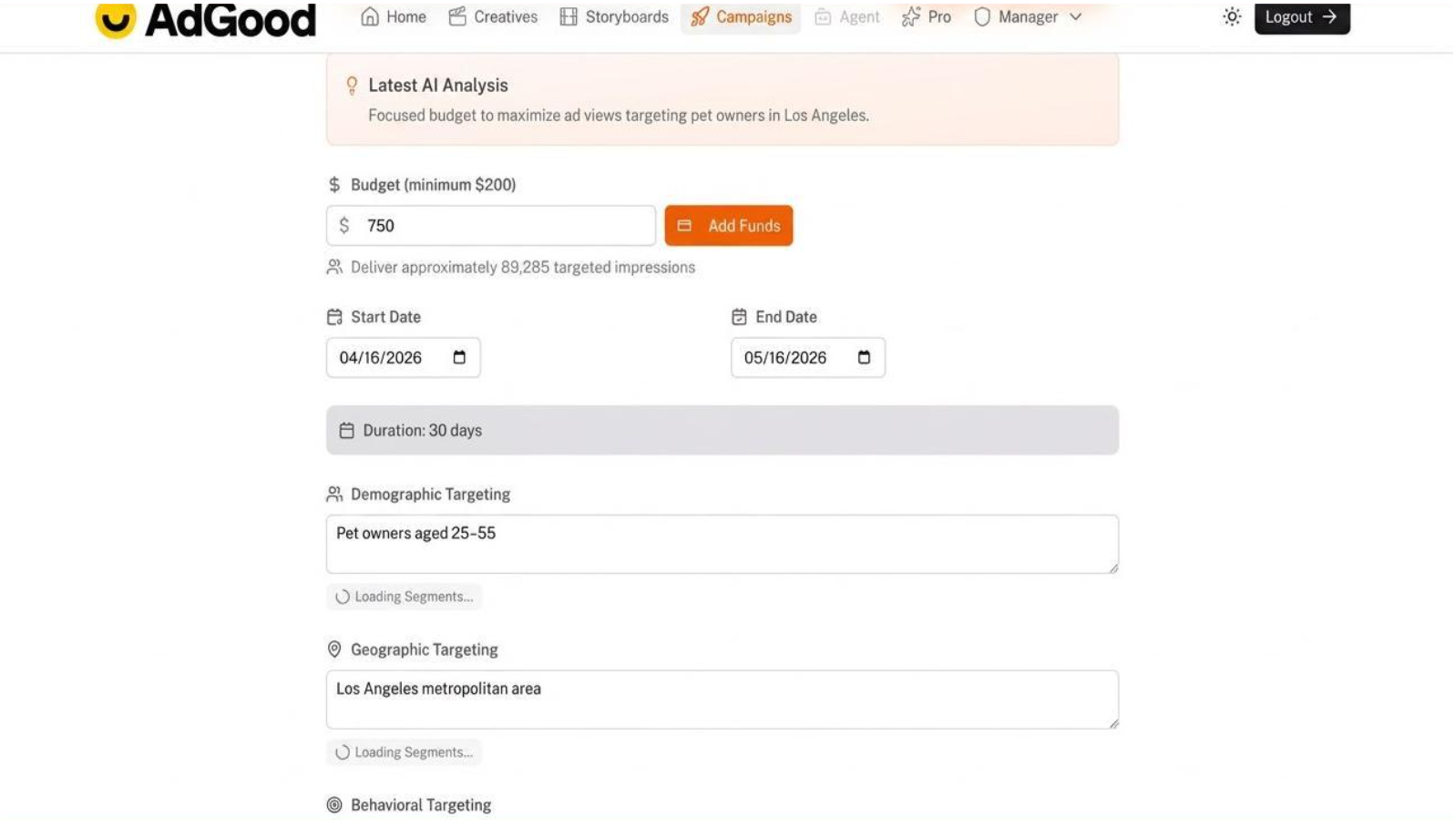
Budget, flight dates, demographic, and geographic targeting all live on one page. Type a number and the impression estimate updates; the AI Analysis banner proposes a starting configuration you can accept or override.
Campaigns start at $200. Most nonprofits we see spend between $500 and $3,000 on a first flight. We typed $750 for this walkthrough and the platform estimated about 89,000 impressions over a 30-day flight, targeting pet owners aged 25 to 55 in the Los Angeles metro.
The AI Analysis banner proposes a starting configuration. Treat it as a starting point, not a final answer, every recommendation is editable in a click.
Geography is zip-code-level
Pick a metro area and the map colors in the covered postal codes so you can confirm the footprint matches where your donors actually live. Add or drop individual zips or DMAs to fine-tune.
Partner segments go one layer deeper
Some are free like an “Animal Lovers audience” which is based on contextual viewership, some carry a small CPM premium such as a “Pets and Dogs segment” added $2 to CPM when we toggled it on, and the impression estimate recalculated in real time.
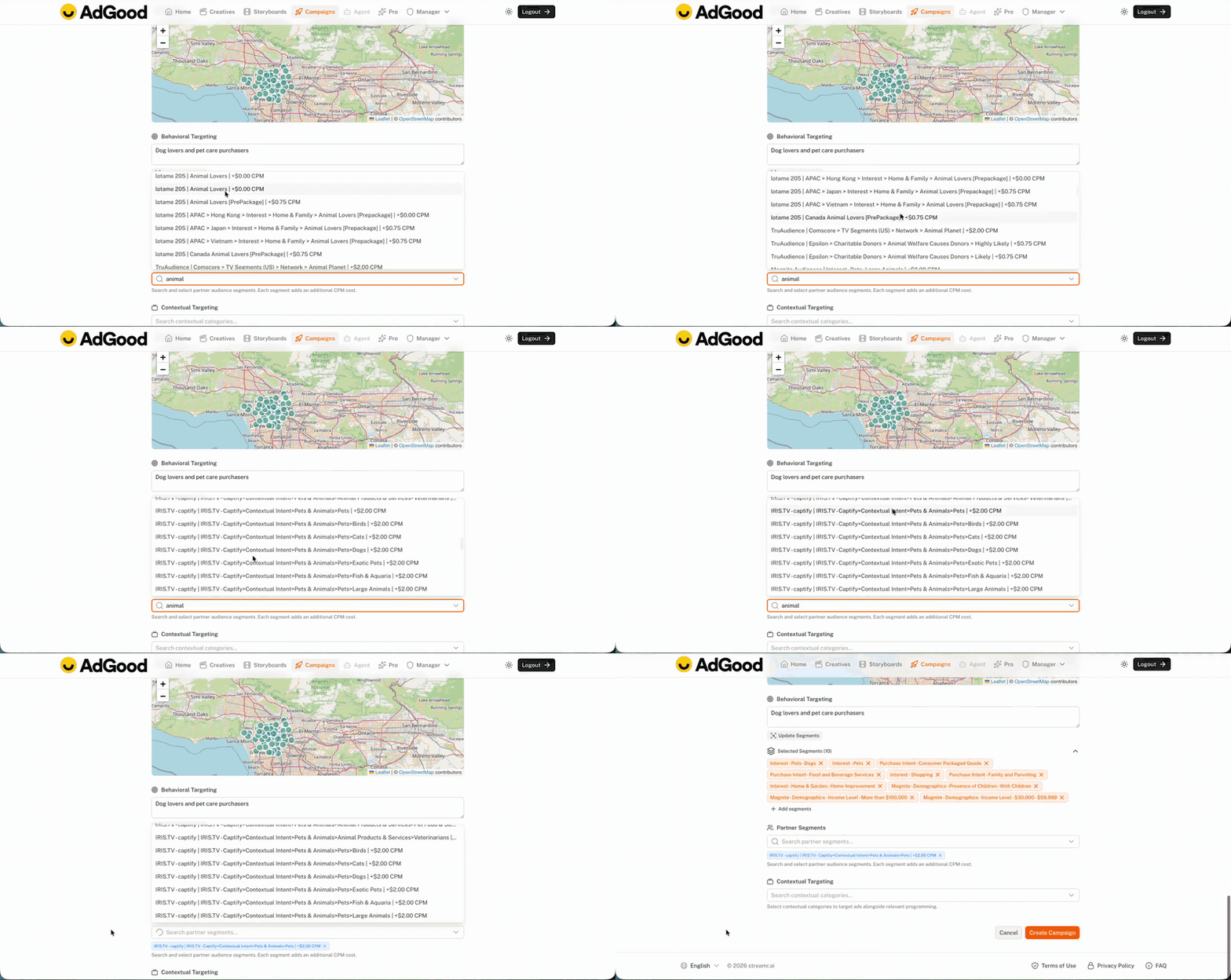
(GIF) Toggling a partner segment updates CPM and the impression estimate instantly.
STEP 4
Monitor your campaign
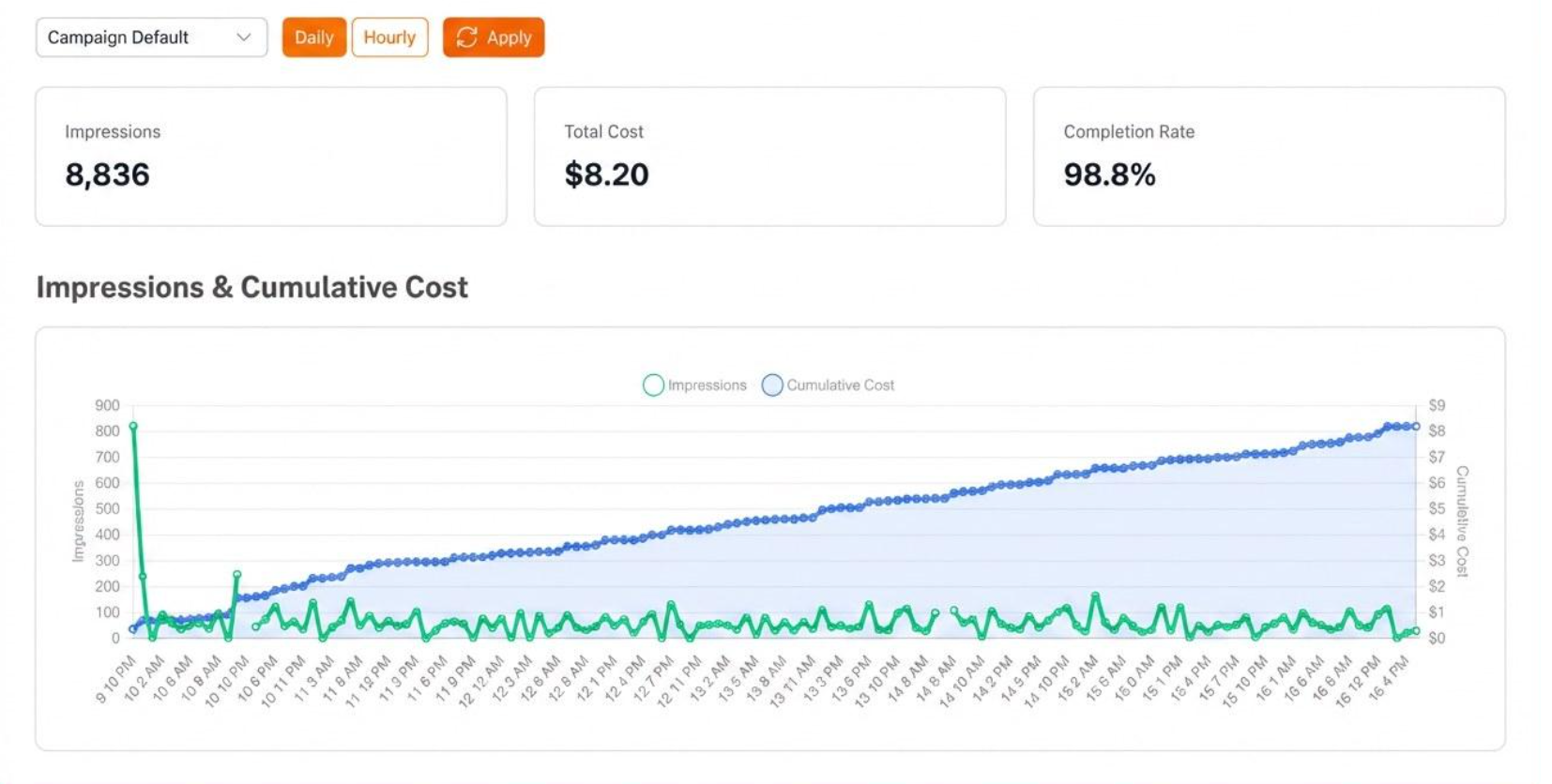
The reporting view: impressions, spend, completion rate, and the streaming environments where your ad actually ran.
Once the campaign is live, a dashboard tracks impressions, total spend, completion rate, top publishers, and a geographic heat map when the data supports it. The top publishers list, names like Samsung, Scripps, A+E, Stingray, Plex, and Cineverse, tells you where your message actually landed.
See the finished K9 Companions ad
We polished the K9 Companions spot and published it on the platform. View the finished ad → The link opens in the Ad Manager so you can see how the final creative reads at 30 seconds, with the QR code and brand lower-bar in place.
That is the whole walkthrough
Four minutes if you barely edit. Twenty if you refine. Four steps, one finished CTV ad, a campaign ready to launch for $200.
No agency. No media buyer. No five-figure minimum.
AdGood exists so mission-driven organizations can access premium streaming TV inventory through a program built specifically for them. The Ad Manager is free because the real opportunity for nonprofits is not cheaper creative. It is premium streaming access at nonprofit pricing, with the tooling included so a small team can move quickly.
If your nonprofit is ready to build awareness on connected TV, create a free account and make something.
Create your free account → https://adgood.streamr.ai